Polls and district-wide announcements are sent only once for students with multiple students. However, If your poll is sent to individual buildings, families with students who attend the two buildings will receive the poll twice.
The character limit for polls is 600. However, best practice would be to keep answer options as short as possible due to some SMS carriers breaking up text messages into parts.
If a user includes Please reply with your preference by responding with either “1” or “2.” Don't include it in your message. Because it automatic says this when the recipient receives the text message.
Create an auto response to a Poll
Always send a test message.
To exclude grade level: There is an easy work around. Here is an example for Field if you want to exclude 8th grade you could just type in the recipients for lunch 6th and 7th. For Winkelman you could do by homeroom teachers. Talking Points also suggested creating groups (see here) If you need to exclude a grade level from your poll. We recommend sending the poll by your school building OR creating a district group of all students and excluding the grade-level.
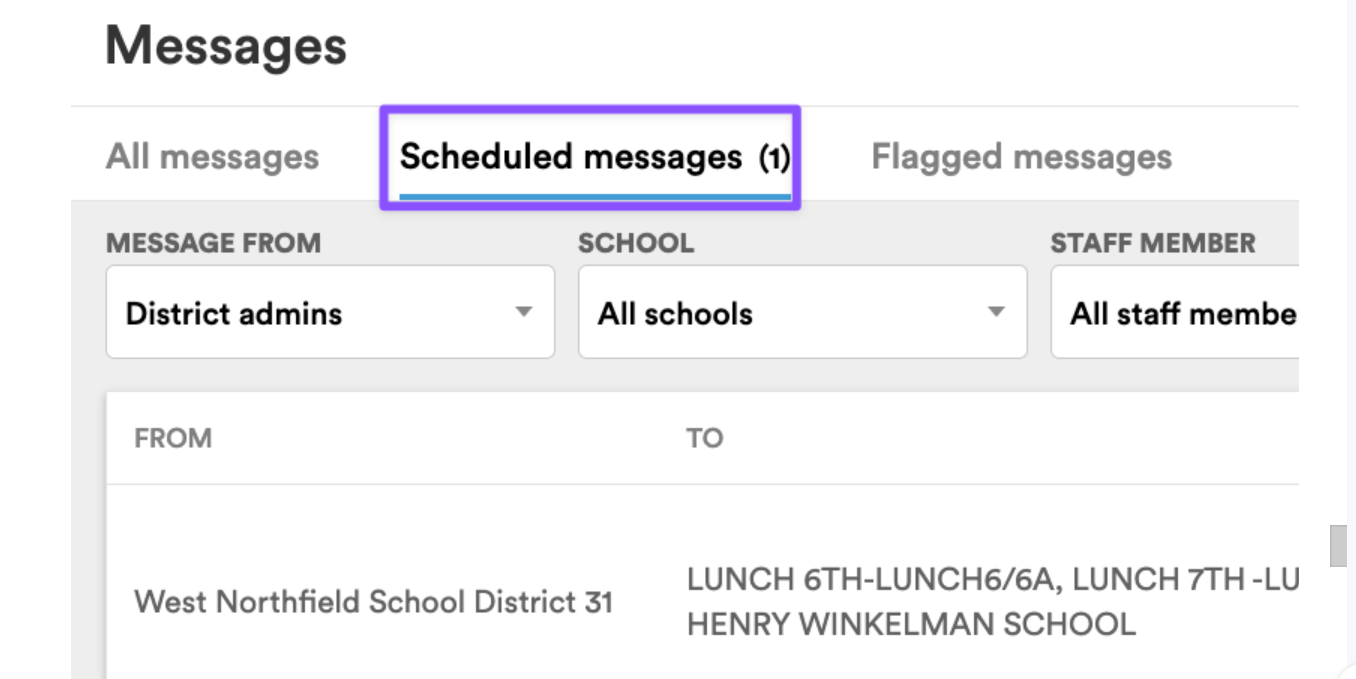
Scheduling Polls in advance. Polls won't appear on the dashboard if they are scheduled in advance. You can find those messages under Messages and Scheduled Messages.
Support Contact's jocelyn@talkingpts.org
partnersupport@talkingpts.org
Was this article helpful?
That’s Great!
Thank you for your feedback
Sorry! We couldn't be helpful
Thank you for your feedback
Feedback sent
We appreciate your effort and will try to fix the article